
Vectorize Image
Convert PNG, JPG and WebP images to SVG with browser-based tracing, three presets, colour editing and an optional cloud AI workflow.
Page reachable · Last checked: 2026-11-15 · Hands-on check
About Vectorize Image
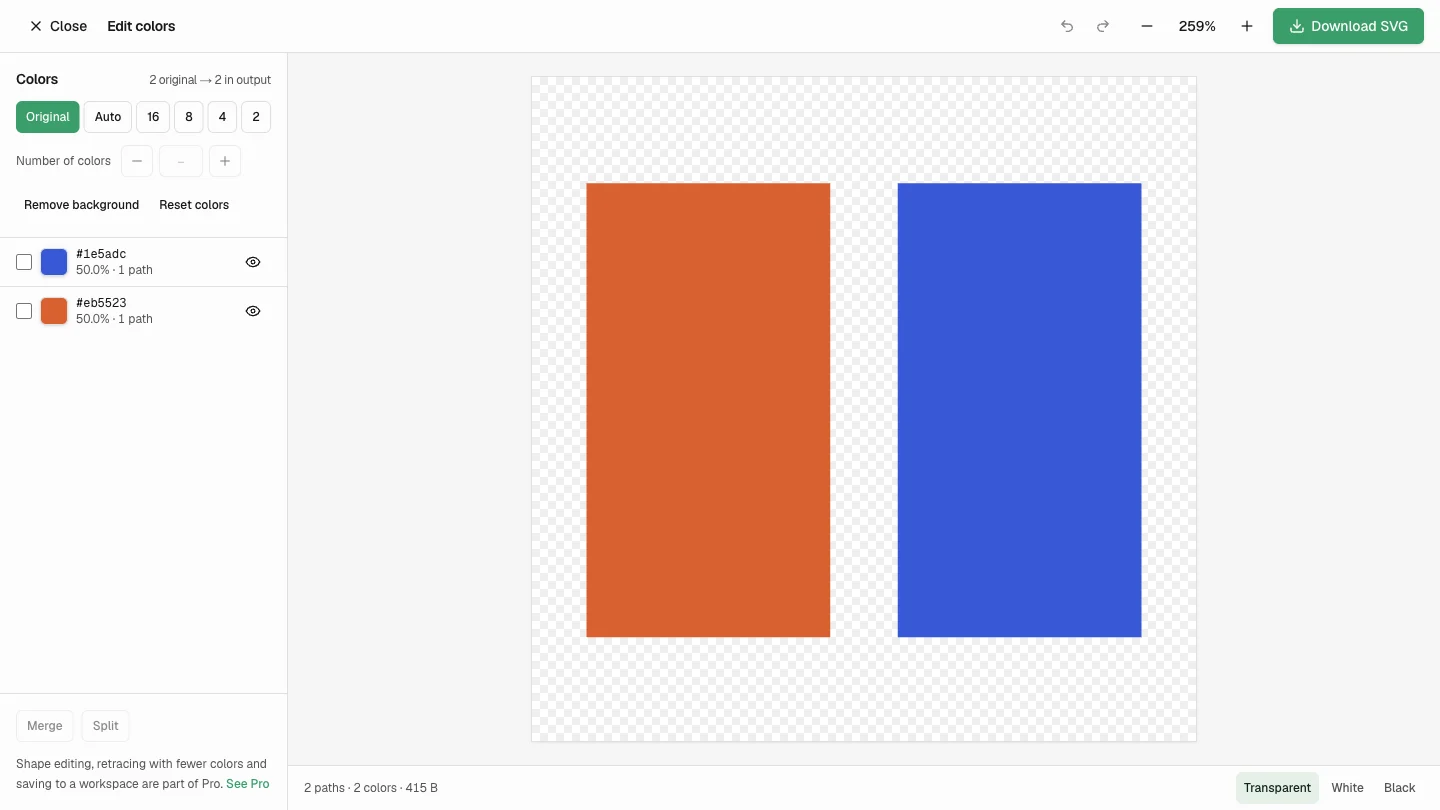
Vectorize Image is an image to SVG converter for turning raster graphics into vector paths. Its standard workflow accepts PNG, JPG and WebP files up to 10 MB, with presets for flat-colour logos, line art and detailed images. You can compare the original and traced result, adjust tracing settings and download the SVG. Standard tracing and AI vectorization are separate workflows. The provider says standard tracing uses WebAssembly locally in the browser, requires no account and offers unlimited watermark-free conversions. Optional AI vectorization uploads the image to a cloud workspace and consumes credits. The site also offers paid Pro features, including batch queues, saved Standard results and shape editing; the whole product is therefore listed as Freemium. We tested standard tracing with a self-created 256 by 256 transparent PNG containing two coloured rectangles. The downloaded SVG contained two paths and no embedded raster image. We also opened the colour editor, hid the blue colour group and downloaded a second SVG. This is a small functional test, not a benchmark of photographs, complex logos, every input format or the provider’s network behaviour. The Standard colour palette offers recolouring, hiding and grouping controls. The current pricing page distinguishes free colour editing from Pro shape editing, retracing with fewer colours and workspace saving. Review those boundaries before assuming every editing control is free. Photo to vector conversion approximates pixels with shapes rather than restoring missing detail. Soft shadows, gradients, compression and texture can produce stylized or posterized results. Inspect paths in your intended design, printing or cutting software before production. AI results, paid features and commercial output rights were not independently tested; your rights to the source artwork still matter.
Why we list it
Included after a successful Standard PNG-to-SVG test and an edited SVG download. The listing distinguishes provider claims from observed behaviour, including the separate cloud AI workflow and limits of photo tracing.
Who it’s for
Designers, makers, educators and online sellers who need SVG paths from existing flat artwork, icons, sketches or logos. Photographs may be useful as stylized references rather than exact vector copies.
Availability & access
- Account
- No account required
- Download
- No download required
- Browser use
- Works in a browser
The tested Standard conversion, colour hiding and SVG downloads worked in a desktop browser without registration, installation or payment. The provider describes Standard tracing as local, unlimited and watermark-free; those are published terms, not a guarantee about every workflow. AI uploads images to the provider’s cloud workspace. As checked November 15, 2026, AI image vectorization costs 1 credit per image; text/reference-to-SVG generation costs 8. One-time packs start at $4.90 for 120 credits. Pro is listed at $14.90/month or $74.90/year, with 200 AI credits added each paid monthly period. Pricing, accounts, subscriptions and AI access were not tested.
What we found
The product separates a free Standard tracing workflow from cloud AI processing and provides a visible Standard colour editor. The distinction matters for image upload, credits and access to Pro features.
On November 15, 2026, inspected the homepage and pricing page, loaded a self-created 256×256 transparent two-colour PNG in Standard Logo / Flat color mode, and downloaded an SVG containing two paths and no embedded image. Opened Edit colors, hid the blue group and downloaded an edited SVG. No account, installation or payment was needed. Other input formats, photos, AI, Pro and mobile operation were not tested; outbound network traffic was not independently audited.
How to use Vectorize Image
- 1Choose a PNG, JPG or WebP file you have permission to use. The public interface lists a 10 MB limit.
- 2Choose Logo, Sketch or Photo and compare the traced result with the original. Adjust tracing settings if needed.
- 3Open Edit colors to inspect the palette, hide or recolour areas, and review the effect. Some advanced editing and saving controls require Pro.
- 4Download the SVG and inspect its paths in your intended design or production software. Our test covered simple PNG input and SVG downloads.
Key features
- PNG, JPG and WebP input options up to 10 MB, according to the official interface.
- Logo / Flat color, Sketch / Line art and Photo / Detailed presets.
- Original-versus-vector comparison with side-by-side and slider modes.
- Advanced controls for colour precision, speckle filtering and path precision.
- A Standard colour editor with recolour, hide, grouping and SVG download controls; hiding and export were tested.
- Optional cloud AI image vectorization and text/reference-to-SVG generation, using paid credits.
- Pro options for batch queues, Standard workspace saving, shape editing and retracing; not tested.
Pros & cons
Pros
- +Standard tracing and SVG download worked without registration, installation or payment in our test.
- +The simple two-colour test produced actual vector paths rather than an embedded bitmap.
- +The colour editor allowed a colour group to be hidden before downloading an edited SVG.
Cons
- −Only a simple PNG was tested; JPG, WebP, photos, other presets, AI and batch processing were not validated.
- −Photo tracing may look posterized and may need manual path cleanup.
- −Local processing is the provider’s description of Standard tracing; we did not independently audit outbound network traffic.
FAQ
What does Vectorize Image do?
It converts raster images into SVG paths, with Standard presets for logos, line art and detailed images. Our simple PNG test downloaded a 256×256 SVG containing two paths and no embedded raster image.
Is Vectorize Image free?
The provider describes single-image Standard tracing and colour editing as free, unlimited and watermark-free. AI uses credits, while Pro adds features such as batches, Standard saving and shape editing. The product is listed as Freemium because those paid options are separate from the free workflow.
Does it upload my image?
The provider says Standard tracing runs locally in the browser via WebAssembly. AI vectorization instead uploads the image to its cloud workspace. We tested Standard conversion but did not independently audit network traffic or data retention; do not apply the no-upload claim to AI or optional workspace saving.
Which file formats are supported?
The official interface lists PNG, JPG and WebP up to 10 MB, with SVG output. The FAQ says HEIC, PDF and EPS input are not supported. Our hands-on test covered PNG only.
Will a photograph become a perfect vector copy?
Not necessarily. Tracing groups pixel regions into paths, so photos can look stylized or posterized, and converting a blurry image does not restore missing detail. We did not test a photograph or AI output.
Can I edit colours before downloading the SVG?
Yes. We opened the Standard colour editor, hid a blue colour group and downloaded an edited SVG. The provider also lists recolouring, grouping and merging as free, while shape editing, retracing with fewer colours and workspace saving are Pro features.
Can I use the resulting SVG commercially?
The provider says output can be used where the source image is licensed for that use. Conversion does not grant rights to someone else’s image. We did not independently evaluate licences or test files with a production printer or cutting machine.
Similar apps
Separate products in the same categories, selected by SoFast.

Explore Coast FIRE savings scenarios with adjustable ages, assets, spending and growth assumptions; results are estimates, not a retirement guarantee.
Also in Utilities Converters
A Lovable-built lookup utility for Steam app IDs, depot IDs, and manifest references, tracked as a high-traffic single-purpose search tool.
Also in Utilities Converters
Convert HEX, RGB and CMYK colour codes, preview a chosen colour, and explore gradient palettes and related colour combinations.
Also in Utilities Converters

Convert GameCube and Wii RVZ disc images to ISO online, with resumable uploads and paid conversion options.
Also in Utilities Converters
Sources
- vectorize-image.app · Observed 2026-11-15
- vectorize-image.app · Observed 2026-11-15
SoFast is an independent directory. Product information is based on publicly available information and may change. Each product is operated by its respective owner. Visit the original website for the latest details.