

Restyla
Restyle, restore, colorize, or rework existing photos with AI presets and prompts that aim to preserve recognizable faces and product details.
Page reachable · Last checked: 2026-11-15 · Browser inspection
About Restyla
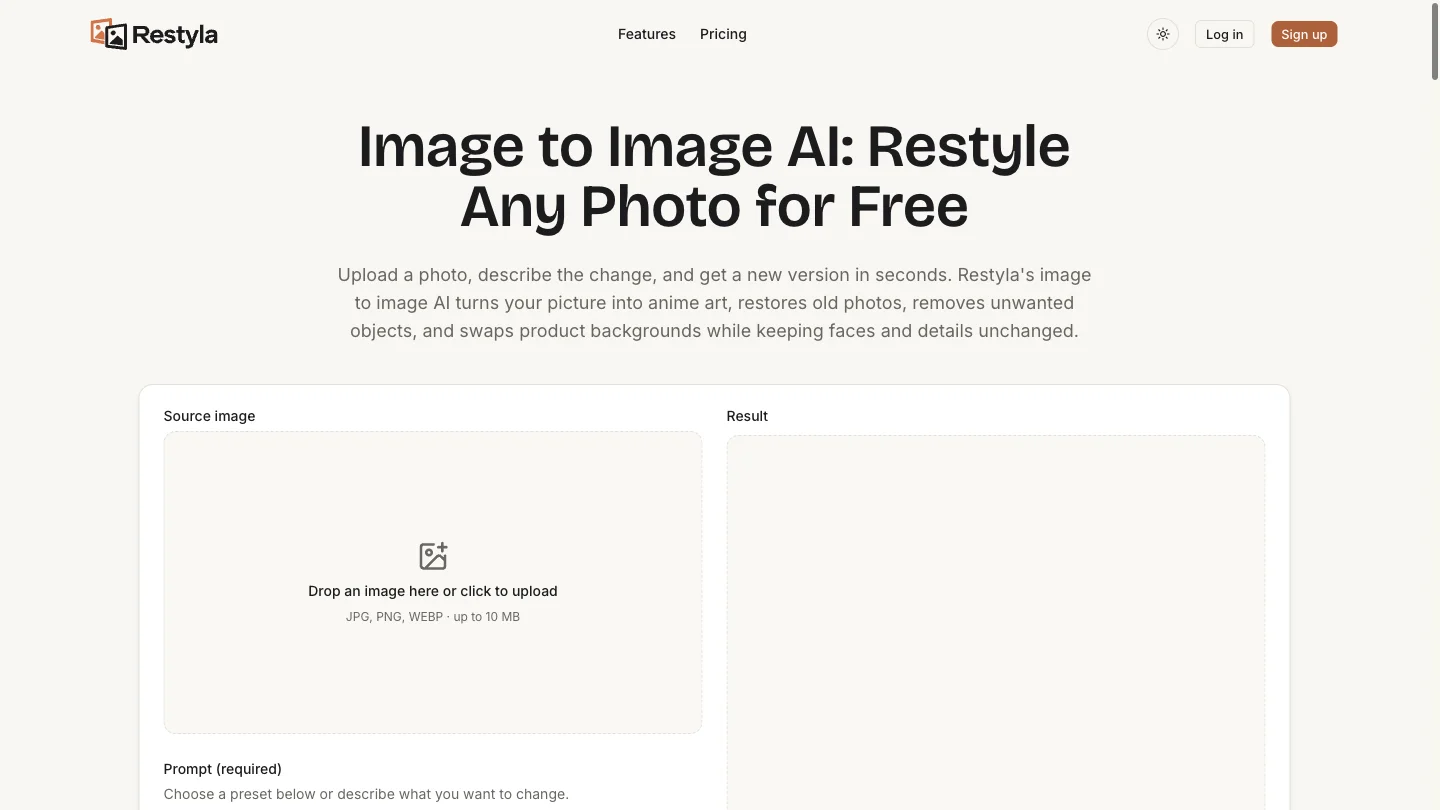
Restyla is a browser-based image-to-image AI photo editor. It works on a photo you already have rather than generating from a blank prompt. Upload an image, pick a built-in preset or describe the change in your own words, choose an output ratio, and request a new version of that photo. The public site describes several practical photo jobs: turning a portrait into anime or illustration styles, restoring damaged photos, colorizing black-and-white pictures, removing an unwanted person or object, replacing a product or portrait background, and extending a frame beyond its original crop. Six presets cover anime, restoration, person removal, colorization, product backgrounds, and portrait retouching. These are documented capabilities; SoFast has not generated images or benchmarked their results. A recurring instruction in the presets is to preserve the subject. The site asks users to describe both what should change and what should stay recognizable, including faces, poses, labels, and product shapes. Its own FAQ acknowledges that AI can still alter those details. Review the generated image against the original before using it for a listing, portrait, or other work where accuracy matters. The editor accepts JPG, PNG, and WEBP files up to 10 MB, according to its upload interface and FAQ. Its documented aspect ratios are Auto, 1:1, 9:16, 16:9, 4:3, and 3:4. Free generation is described as Basic 1K; the pricing page also lists paid generation options, including Advanced output up to 4K. Restyla combines a limited free allowance with optional paid credits. The homepage and pricing page currently advertise up to two free Basic images per UTC day for guests and five for verified accounts, subject to eligible-region, device, IP, and overall daily-budget restrictions. A guest allowance does not guarantee that free generation will be available for every visitor. Check the original site for current access and prices. SoFast is an independent directory. Restyla is operated by its own team and is not affiliated with SoFast. This listing is based on public pages inspected on November 15, 2026; product terms and availability may change.
Why we list it
Listed for its publicly accessible image-editing interface, task-specific presets, documented workflow, and before-and-after examples. SoFast inspected the public pages; it has not independently evaluated output quality.
Who it’s for
The homepage identifies four audiences. These use cases reflect the provider’s description, rather than independent SoFast testing. Online sellers: prepare product background variations or extend a frame for store listings. Content creators: make stylized portraits, avatars, thumbnails, and visual variations from supplied photos. Designers and marketers: explore visual drafts and ad variations from an existing image. Families and everyday users: restore old photographs, colorize portraits, or request removal of a distracting element.
Availability & access
- Account
- No account required
- Download
- No download required
- Browser use
- Works in a browser
The public editor is browser-based and advertises a guest allowance without registration. Verified accounts receive a larger free allowance; purchased credits are associated with an account. As of November 15, 2026, the site lists up to 2 free Basic 1K images per UTC day for guests and 5 for verified accounts. The allowance resets at 00:00 UTC and does not carry over. Regional, device, IP, abuse-prevention, and overall daily-budget limits apply. Paid packs start at $9.99 for 300 credits. These are official published terms, not a tested entitlement or guaranteed price. Generation, payments, downloads, image retention, and provider data handling were not independently tested. Consult Restyla’s current pricing and policies before uploading sensitive images.
What we found
The homepage pairs before-and-after examples with editable prompt instructions and separates restoration, removal, background replacement, and frame extension into distinct workflows. Its emphasis on telling the model what to preserve is useful context, but it does not establish that faces or product details always remain unchanged.
On November 15, 2026, SoFast opened the Restyla homepage and pricing page in a desktop Chromium browser. The homepage exposed an image upload, six preset buttons, a prompt field, quality and aspect-ratio controls, examples, and usage information. The pricing page listed a free daily allowance and paid credit packs. We inspected the public interface and documentation only; no image was uploaded or generated, no account was created, and no payment or download was tested.
How to use Restyla
- 1Open Restyla and upload a photo. The interface lists JPG, PNG, and WEBP uploads up to 10 MB.
- 2Choose a preset or write a prompt. Describe what to change and what to preserve, such as a face, pose, or product label.
- 3Select the output ratio and available quality settings, then generate. Compare the result with the original before downloading; SoFast has not tested generation or download.
Key features
- Presets plus free-form prompts: start from one of six prepared instructions or describe a specific edit in your own words.
- Style transfer: the site demonstrates anime portraits and describes watercolor, painting, cartoon, pixel-art, and film styles.
- Restore and colorize: the site lists repair of faded or damaged photos and adding color to black-and-white images.
- Object and person removal: request removal of an unwanted element and generation of the missing background.
- Background replacement: request a new setting for an existing portrait or product photo.
- Frame extension: request content beyond the original crop when changing the output ratio.
- Portrait retouching: a preset requests lighting and skin adjustments while preserving facial identity.
- Output controls: select an aspect ratio, quality, and resolution; available output options depend on the generation tier.
FAQ
What is Restyla?
Restyla is a browser-based image-to-image AI editor for restyling, restoring, colorizing, and reworking existing photos using presets or written prompts. SoFast inspected its public interface and documentation, but has not tested generated results.
Is Restyla free?
Restyla offers a limited free allowance alongside paid credits. As checked on November 15, 2026, its pages list up to 2 free Basic 1K images per UTC day for guests and 5 for verified accounts, subject to regional, device, IP, and overall budget limits. Paid credit packs start at $9.99 for 300 credits. Check the original site for current terms.
Does it work on photos of people?
The site shows portrait examples for anime conversion, colorization, and retouching. Its presets request preservation of facial identity, but its FAQ acknowledges that AI may still change faces or product details. SoFast has not independently tested preservation quality.
Can I remove a person or object from a photo?
The official site lists object and person removal alongside background replacement and frame extension. These are documented features, rather than capabilities independently tested by SoFast.
Do I need to install anything or create an account?
The public editor runs in a browser and advertises a limited guest allowance without signing up. A verified account is needed for the larger account allowance, and paid credits are associated with an account. SoFast only links to the provider’s website.
What image formats and sizes are supported?
The upload interface and homepage FAQ list JPG, PNG, and WEBP files up to 10 MB. The documented output ratios are Auto, 1:1, 9:16, 16:9, 4:3, and 3:4. SoFast has not tested file uploads or exports.
Similar apps
Separate products in the same categories, selected by SoFast.
Upload an image, select a colour and view the tool’s closest RAL reference with a code, name and RGB values.
Also in Content Creation
An AI-assisted presentation builder for generating slides, scripts, narration, and a slideshow experience from a topic.
Also in Content Creation
Create synchronized lyrics by loading audio or video, entering text, assigning timestamps and exporting an LRC, TXT or SRT file.
Also in Content Creation

Remove an image background in your browser, compare the cutout and download a transparent PNG; preview colours do not flatten the main export.
Also in Creative Media
Sources
- restyla.io · Observed 2026-11-15
- restyla.io · Observed 2026-11-15
SoFast is an independent directory. Product information is based on publicly available information and may change. Each product is operated by its respective owner. Visit the original website for the latest details.