

Everygen
Create AI videos and images for YouTube Shorts, UGC-style ads and social content in one browser workspace.
Page reachable · Last checked: 2026-11-17 · Browser inspection
About Everygen
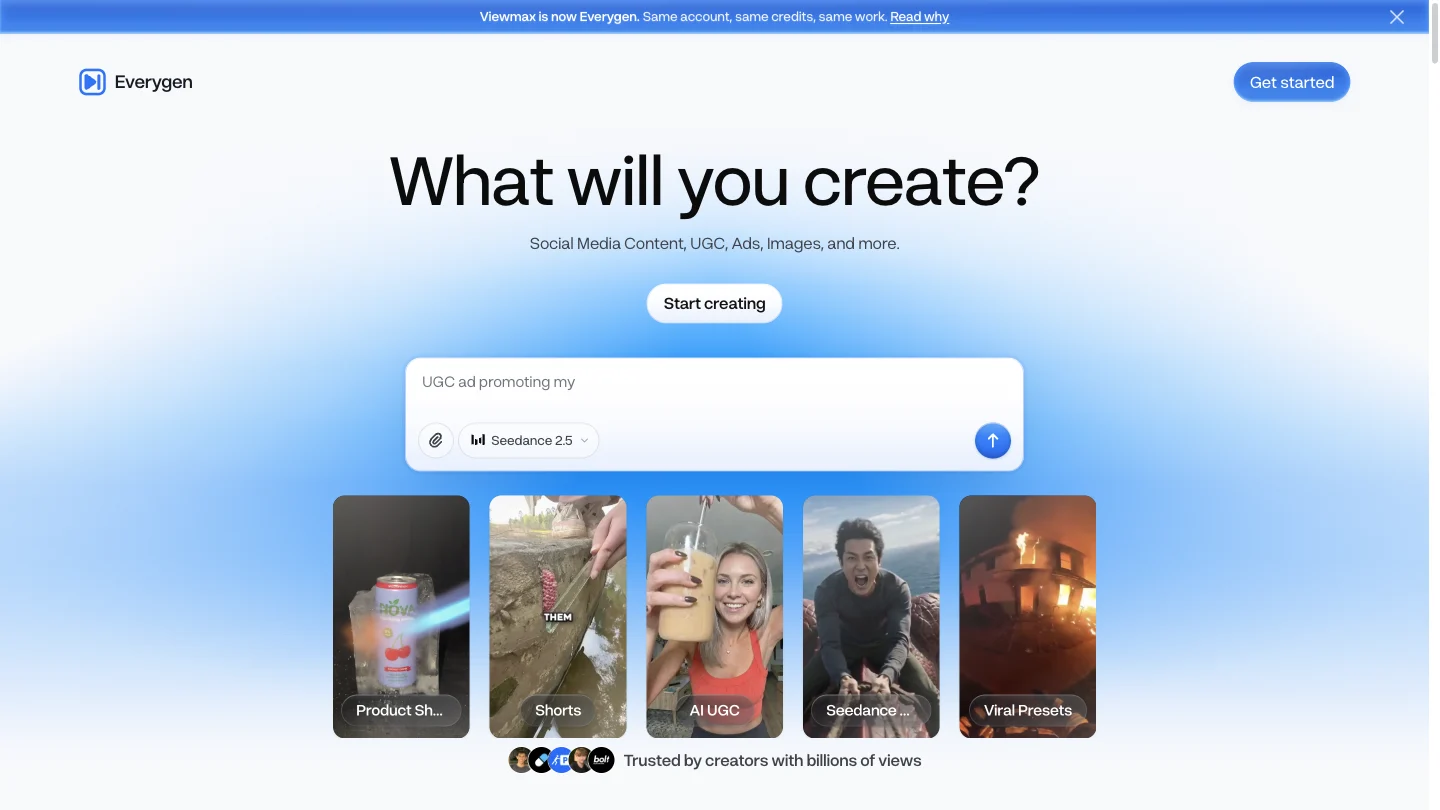
Everygen AI is a video and image generation suite for creators making YouTube Shorts, UGC-style ads and other social content. Formerly called Viewmax, the product is operated by Viewmax LLC at everygen.ai. Its public workspace brings generation tools and project navigation together, with separate starting points for video, images, short-form formats and product advertising. The AI video generator and AI image generator support prompt-based creation and compatible reference media. Scriptwriting, voiceovers and caption tools help assemble supporting elements. Shorts Studio offers format-led creation: choose a style, describe an idea and inspect the settings before generating. In the public studio, we observed format selection, asset upload, 720p, an 8-second setting and a 31-credit quote. This was one displayed configuration, not a fixed price or duration for every workflow. Everygen pricing is subscription-based, with no free plan stated in its official product index. Starter provides 200 monthly credits for $24 on monthly billing, or $108 paid yearly, equivalent to $9 per month. Pro and Creator offer larger allowances. Annual billing is an upfront commitment; the lower displayed monthly equivalent is not a month-to-month offer. Check the current plan comparison for model access and resolution limits. Budget for revisions as well as the first draft. The pricing page says video, images, voiceovers, captions and exports can consume credits. Monthly plan credits do not roll over, while top-up credits have a separate 90-day validity. The service permits monetization subject to its terms and the publishing platform's rules. Uploaded assets and any depicted person's likeness require appropriate rights and consent. Our review covered public pages and the visible creation interface. We did not register, buy credits, generate media or verify export quality and watermarks. Use the official website for login and billing: similarly named domains belong to separate services, so their free-credit offers and subscriptions should not be applied to this product.
Why we list it
Included for its accessible creation workspace and specific short-form workflows. Official-domain identification, billing terms and visible controls were checked; generated output was not evaluated.
Who it’s for
Short-form creators and small marketing teams comparing AI-assisted visuals, faceless Shorts and product-ad workflows.
Availability & access
- Download
- No download required
- Browser use
- Works in a browser
Public workspace and studio controls can be browsed without signing in. Creation uses an account and paid credits according to the official product index. Login, checkout, generation and exports were not tested. The pricing page displayed a browser verification widget; its published HTML and official product index were readable.
What we found
Combines general image and video generation with format-led Shorts and ad tools, continuing the former Viewmax product and accounts.
Inspected the public workspace and Shorts Studio on November 17, 2026. The studio displayed format selection, asset upload, 720p, an 8-second setting and a 31-credit quote before generation. No account was created, credits purchased, media uploaded or output generated. Official pricing, rebrand and usage pages were reviewed; the browser pricing page also displayed a verification widget. Output quality, exports and watermark behavior were not tested.
How to use Everygen
- 1Open everygen.ai and enter the workspace; sign in and check the plan required for your chosen task.
- 2Choose Video Generator, Image Generator, Shorts Studio or an ad workflow. Describe the idea or add media you have permission to use.
- 3Review the model, duration, resolution and displayed credit cost before confirming a generation.
- 4Inspect the result, permissions and export options before publishing. These generation and export steps were not tested in this review.
Key features
- AI video and image generation from prompts and supported reference media.
- Shorts Studio with selectable formats and a visible credit estimate before generation.
- UGC-style and product-ad workflows alongside general video creation.
- Scriptwriting, AI voiceovers and caption tools for social-video production.
- A browser workspace with project navigation and media-upload controls.
Pros & cons
Pros
- +Task-specific entry points for video, images, Shorts and ads.
- +The inspected Shorts interface displayed cost and output settings before generation.
Cons
- −No free plan is listed; recurring credits do not roll over.
- −Model access, resolution and credit usage vary by task and subscription.
- −Generation quality, export restrictions and watermark behavior remain untested.
FAQ
What is Everygen AI, and is it the same as Viewmax?
It is the renamed Viewmax creative suite, operated by Viewmax LLC. The official rebrand announcement says existing accounts, subscriptions, credits and projects carry over.
Which Everygen website should I use for login?
Use everygen.ai and its Sign in entry. The provider identifies this as its official domain and says everygen-ai.com, everygenai.app and everygenai.io are unrelated services.
Is Everygen free, and how much do its plans cost?
The official index states there is no free plan. Monthly billing is $24 for Starter, $49 for Pro and $139 for Creator, with 200, 500 and 1,000 credits per month. Annual totals are $108, $228 and $588 respectively. These are USD prices checked November 17, 2026; confirm current terms before purchase.
Can I make YouTube Shorts and AI ads?
The suite has dedicated Shorts and ad workflows. Shorts Studio lets you select a format and add direction, with a credit quote before generation. We inspected the interface but did not produce or export a video.
Can I use my own media and monetize the results?
The official site supports uploading your own media. You need appropriate rights to the assets and consent for depicted people. Monetization remains subject to the service terms and each publishing platform's rules; output is not guaranteed to qualify for monetization.
Similar apps
Separate products in the same categories, selected by SoFast.
An official movie website for The Dresden Sun with film information, trailer, watch links, music, merch, and audience updates.
Also in Video
A live media creation concept for building a 24/7 TV channel or radio station and streaming video or audio content through OBS.
Also in Video
An AI media creation platform for generating images, videos, and digital influencer content for marketing and creator workflows.
Also in Video

Remove an image background in your browser, compare the cutout and download a transparent PNG; preview colours do not flatten the main export.
Also in Creative Media
Sources
- everygen.ai · Observed 2026-11-17
- everygen.ai · Observed 2026-11-17
- everygen.ai · Observed 2026-11-17
- everygen.ai · Observed 2026-11-17
- everygen.ai · Observed 2026-11-17
- everygen.ai · Observed 2026-11-17
- everygen.ai · Observed 2026-11-17
SoFast is an independent directory. Product information is based on publicly available information and may change. Each product is operated by its respective owner. Visit the original website for the latest details.