

Build a Bucket Guide
A free fan-made Build a Bucket tracker with local run records, transparent analysis and basketball game guides.
Page reachable · Last checked: 2026-11-21 · Hands-on check
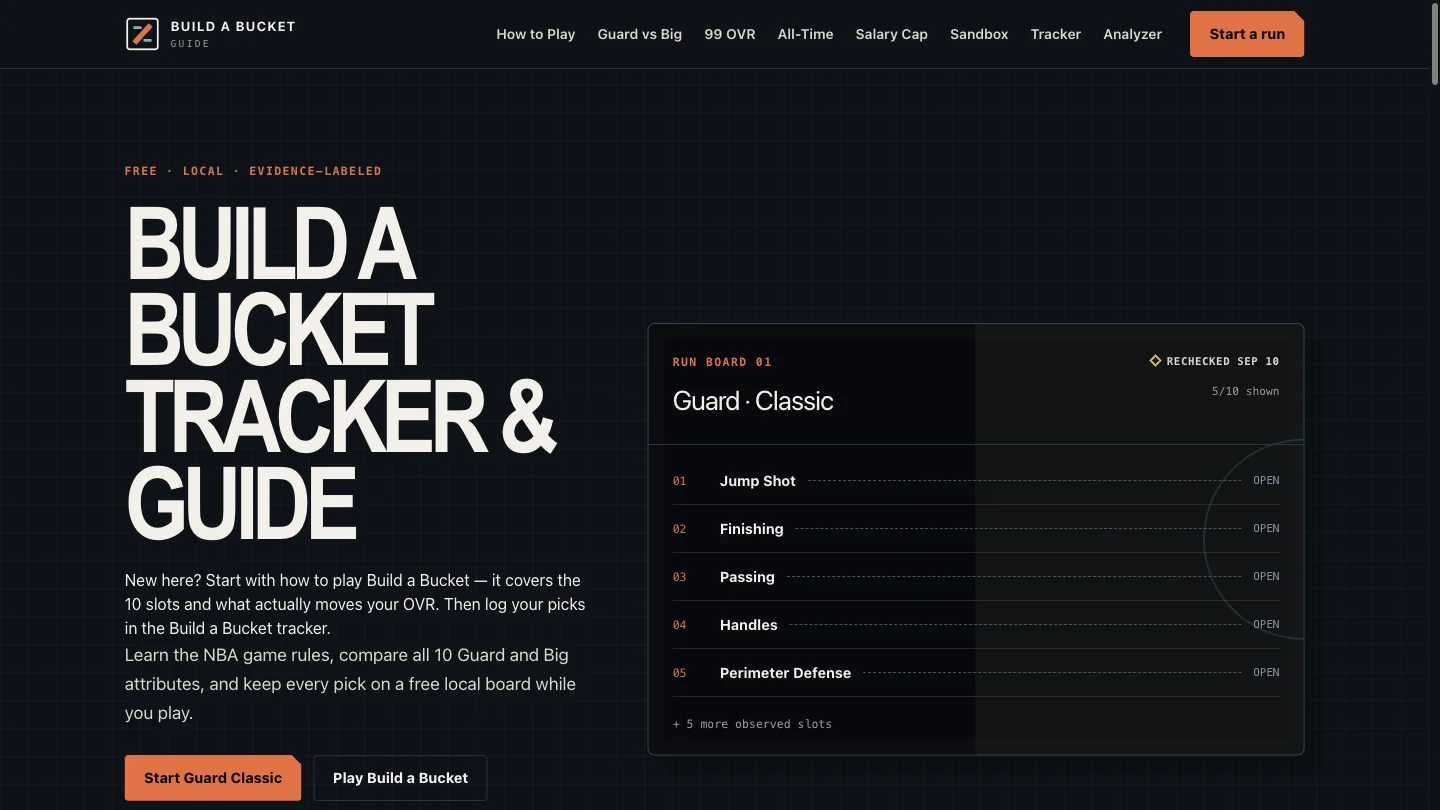
About Build a Bucket Guide
Build a Bucket Guide is a free, independent companion for people playing the basketball builder hosted by Build-A-Player. It combines rules and mode guides with a browser-based run tracker and analyzer. The site is fan-made and states that it is not affiliated with the game publisher, the NBA or any NBA team. The tracker gives Guard and Big players named ten-slot boards for Classic and All-Time. You manually record the player, selected trait, visible letter grade and optional OVR for each pick, then enter the final rating shown by the game. Roles and modes stay attached to each saved run. Salary Cap and Sandbox have editable labels, but the tracker is not a budget validator or a complete reproduction of those modes. The analyzer summarizes those entries rather than calculating a new basketball rating. It counts completed player-and-trait pairs, lists missing slots, identifies the lowest recognized grade and displays the final OVR you entered. It does not know the official scoring formula, diagnose which pick caused a result or promise a 99 OVR build. The accompanying guides distinguish dated observations from unresolved claims. In our hands-on check, a fictional Guard Classic record with two completed slots survived a page reload. The analyzer showed 20% completeness, grade C as the lowest entered grade, eight missing slots and the manually entered final OVR of 90. Its JSON export preserved both test picks and labeled the source as user-entered. These were interface test values, not results from an official game session. The companion works without an account or installation. Records are saved in the current browser, with JSON export for an external copy. There is no cross-device sync or JSON import to restore that file. The separate Play page offers an official-game link and an optional third-party embed; neither was tested as a playable game in this review.
Why we list it
Included for its working tracker, persistent local records and useful run review. A two-slot fictional sample and JSON export were tested; the official game and rating accuracy were not.
Who it’s for
Build a Bucket players who want a structured record of picks and visible grades while keeping game rules and mode notes nearby.
Availability & access
- Account
- No account required
- Download
- No download required
- Browser use
- Works in a browser
The companion tracker and analyzer were used without an account. Runs are stored in the current browser. The optional official-game embed is a separate third-party service and was not loaded. Local persistence was observed, but no network privacy audit was performed.
What we found
Pairs a browser-local run board with an input-based analyzer and dated evidence labels, while keeping the official game and its unknown rating formula separate.
Created a separate Guard Classic test run with two fictional player-and-trait pairs, grades A and C, pick OVR 91 and final OVR 90. Reload retained the entries. The analyzer reported 20% completeness, lowest grade C, eight missing slots and the entered final OVR 90. Downloaded JSON preserved the inputs and user-entered provenance. No official game session, embedded game, hidden rating formula or network privacy audit was tested. The pre-existing Big Classic record was retained.
How to use Build a Bucket Guide
- 1Open Tracker, select Guard or Big and the matching mode, then start a separate run.
- 2Copy each player, selected trait and visible grade from your game into the matching slot; leave unknown information empty.
- 3Add the final displayed OVR and open Review this run to inspect completeness and missing entries.
- 4Export JSON to retain a copy outside the browser. The tracker does not provide JSON import or cross-device restoration.
Key features
- Manual run tracking for player, selected trait, visible grade, optional pick OVR and final OVR.
- Guard and Big ten-slot presets for Classic and All-Time, plus editable slot labels.
- Analyzer reporting completeness, missing slots and the lowest entered grade.
- Browser-local saved runs with JSON export and a share-summary control.
- Rules, role comparisons, mode guides and a public evidence methodology.
Pros & cons
Pros
- +No account or installation required for the tested tracker and analyzer.
- +Reload persistence, completeness analysis and JSON export worked in the sample.
- +Explicitly labels formula uncertainty and separates the companion from the official game.
Cons
- −Picks must be entered manually; the tool does not read the official game.
- −No cloud sync or JSON import; browser data loss can remove saved runs.
- −Completeness and lowest-grade findings do not predict official OVR or validate Salary Cap budgets.
FAQ
Is Build a Bucket Guide the official basketball game?
No. It is an independent fan-made tracker, analyzer and guide. The game is hosted by Build-A-Player; this companion states that it is not affiliated with the publisher, the NBA or any NBA team.
Is the tracker free, and do I need an account?
The tracker, analyzer and guides are free to use. We created and reviewed a local test run without signing in or installing anything. The site states that no account or payment flow is active.
What can I record in a run?
Each slot has a label, player, selected trait, visible letter grade and optional OVR. A separate field stores the final OVR. Guard and Big have ten-slot presets for Classic and All-Time; other modes allow custom labels.
Can the analyzer calculate or guarantee a 99 OVR build?
No. It reports completed player-and-trait pairs, missing slots, the lowest recognized grade and the final OVR you entered. It does not calculate the official formula or establish which pick caused a rating.
Where are saved runs stored, and can I restore a JSON export?
Runs stay in the current browser on the current device. Our sample survived a reload and exported to JSON. There is no cloud sync or JSON import, so an exported file is an external record rather than a one-click restore file.
Does the tracker automatically read the game or validate Salary Cap builds?
No. Picks are entered manually, and the companion does not read the official game or submit choices to it. Editable Salary Cap rows do not reproduce its five-category budget board or check the spending limit.
Similar apps
Separate products in the same categories, selected by SoFast.

Answer seven timed trivia prompts and dive deeper into the ocean with less obvious accepted answers.
Also in Games Interactive

Answer seven timed prompts and launch a pixel rocket higher with rarer answers in a daily browser trivia game.
Also in Games Interactive
Create a Genshin-themed guessing-game room and share its code with another player.
Also in Games Interactive

Plan Slay the Spire 2 runs with Doom thresholds, co-op HP calculations, deck tools and searchable references.
Also in Games Interactive
Sources
- buildabucket.site · Observed 2026-11-21
- buildabucket.site · Observed 2026-11-21
- buildabucket.site · Observed 2026-11-21
- buildabucket.site · Observed 2026-11-21
- buildabucket.site · Observed 2026-11-21
SoFast is an independent directory. Product information is based on publicly available information and may change. Each product is operated by its respective owner. Visit the original website for the latest details.