

STS2 Calculator
Plan Slay the Spire 2 runs with Doom thresholds, co-op HP calculations, deck tools and searchable references.
Page reachable · Last checked: 2026-11-21 · Hands-on check
About STS2 Calculator
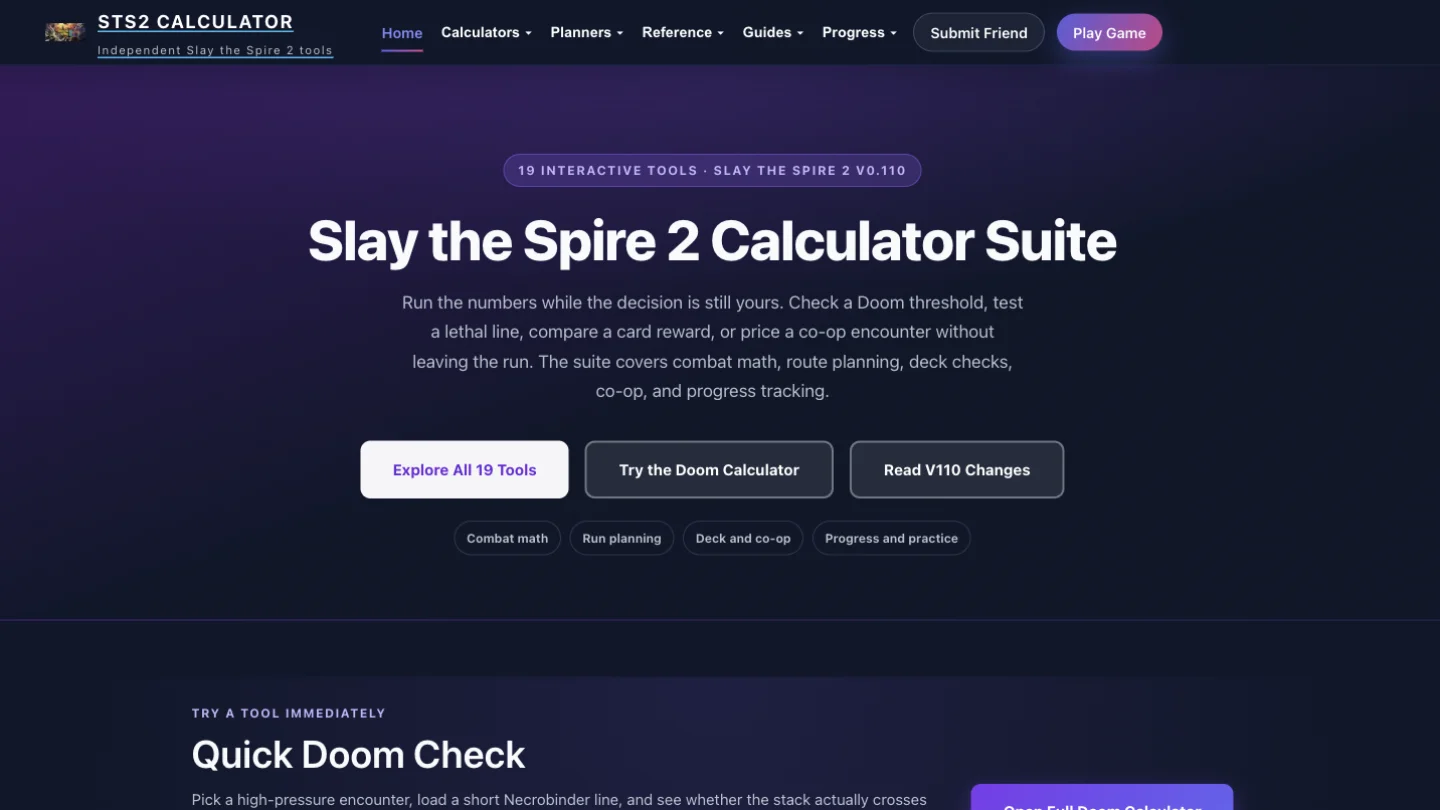
STS2 Calculator is an independent fan-made toolkit for Slay the Spire 2 players who want to check a decision during a run. Its homepage groups 19 interactive tools into combat math, run planning, deck and co-op support, and progress and practice. It also links to searchable reference pages and strategy articles that explain the assumptions behind the tools. The Doom calculator focuses on the Necrobinder execution threshold: enter an enemy's current HP and existing Doom, then choose the cards in the planned line. In our homepage test, 10 existing Doom plus one Scourge and one No Escape produced 43 total Doom. A 30-HP target crossed the end-of-turn threshold; changing the target to 50 HP left a gap of 7. Adding End of Days raised the displayed total to 72, switched the result to immediate execution and showed 5 energy used. These checks confirm the interface responds to inputs, rather than proving every combat rule against the game client. The co-op HP calculator adds enemy filters, player counts, Ascension settings and room context. Switching the inspected Assassin Raider encounter from two to four players changed its displayed HP from 39–50 to 79–101, with the full Ruby Raiders room changing from 234–271 to 470–544. Other listed tools cover combo damage, campfire choices, event value, card drafting, Regent Stars and progress tracking; those workflows were not individually tested. The service terms describe free access for personal, non-commercial gameplay planning and general reference. The sampled calculators worked in a browser without an account or download, including the homepage Doom inputs at a 390-pixel mobile width. Analytics and advertising are disclosed separately. Check the ruleset on the specific tool before relying on a result. The homepage advertised V0.110 while the Doom page referenced V103.2, and page review dates differed. Hidden modifiers, unsupported edge cases and later game patches can change the answer. This is an unofficial companion, with no affiliation to Mega Crit or Steam.
Why we list it
Included for working, publicly accessible game-planning interactions. Doom threshold states and co-op player-count changes were tested; full-suite accuracy and compatibility with the latest game patch remain unverified.
Who it’s for
Slay the Spire 2 players checking Necrobinder Doom lines, co-op enemy HP and run-planning choices.
Availability & access
- Account
- No account required
- Download
- No download required
- Browser use
- Works in a browser
- Mobile support
- Limited support
Homepage Doom and co-op HP tools were used without signing in or installing software. Mobile homepage inputs worked at 390px; the rest of the suite was not tested on mobile. The site discloses analytics and advertising cookies. Free site access does not include the Slay the Spire 2 game.
What we found
Brings focused combat calculators, encounter room context, planning tools and reference material into one Slay the Spire 2 companion.
Tested the homepage Quick Doom Check: 30 HP, 10 existing Doom, one Scourge and one No Escape produced 43 total Doom and an end-of-turn execution; raising HP to 50 left a 7-Doom gap; adding End of Days produced 72 total Doom, immediate execution and 5 energy used. Switched the co-op HP calculator to 4P: Assassin Raider changed from 39–50 to 79–101 HP and the Ruby Raiders room from 234–271 to 470–544 HP. Mobile homepage inputs worked at 390px without horizontal overflow. No game-client comparison or full-suite accuracy audit was performed.
How to use STS2 Calculator
- 1Open the suite and choose the calculator that matches your current decision.
- 2For the homepage Doom check, enter current HP and existing Doom, then adjust card counts and upgrade settings.
- 3Read the threshold, Doom total and energy used; check whether the result requires an end-of-turn trigger or End of Days.
- 4For co-op HP, select the encounter, party size and Ascension setting, then compare individual enemies with the room total.
- 5Confirm the tool ruleset and any unsupported modifiers against your current game version.
Key features
- Doom execution checks using current HP, existing stacks and selected card counts.
- Co-op enemy HP estimates with 2P–4P controls, Ascension settings and room totals.
- Listed planning tools for campfires, events, drafting, decks and character resources.
- Reference pages and strategy notes linked from the calculator suite.
- Progress tools including badges, Epoch tracking and the Spiredle daily puzzle.
Pros & cons
Pros
- +Sampled calculators work without an account or download.
- +Doom output distinguishes remaining gaps, end-of-turn thresholds and immediate execution.
- +Co-op output keeps individual enemy HP and encounter totals together.
Cons
- −Patch labels and review dates differ between pages.
- −Calculator results depend on supplied inputs and supported assumptions.
- −Most of the advertised tools and game-client accuracy were not tested.
FAQ
What is STS2 Calculator?
It is an independent fan-made Slay the Spire 2 companion with calculators, planners, reference pages and strategy notes. Its homepage lists 19 interactive tools.
Is STS2 Calculator free, and do I need an account?
The terms describe free access for personal, non-commercial gameplay planning and reference. The homepage Doom check and co-op HP calculator worked without an account or download in our test. This does not include access to the game itself.
What does the Doom calculator calculate?
It compares current enemy HP with existing Doom plus the selected card line, showing total Doom, remaining gap and energy used. Our sample also distinguished end-of-turn execution from an immediate End of Days execution.
Can I calculate co-op enemy HP?
Yes. The co-op HP tool has enemy filters, 2P–4P controls, Ascension settings and room totals. Switching our sample from two to four players changed both individual enemy HP and the full encounter total.
Are the calculations official and always current?
No. The site is an unofficial fan resource. Patch labels and review dates differed between pages when checked on November 21, 2026. Check each tool against the rules in your current game; our limited tests did not validate the entire suite against the game client.
Similar apps
Separate products in the same categories, selected by SoFast.
Choose an Old School RuneScape boss, set a kill count and inspect simulated drops, totals and estimated GP values.
Also in Simulation
Create a basketball player and shape a fictional career through Spanish-language decisions, attributes and season events.
Also in Simulation
Turn a list of participants into a knockout bracket and advance the winners.
Also in Simulation
Choose hypothetical match winners and see the displayed LEC standings change.
Also in Simulation
Sources
- sts2-calculator.com · Observed 2026-11-21
- sts2-calculator.com · Observed 2026-11-21
- sts2-calculator.com · Observed 2026-11-21
- sts2-calculator.com · Observed 2026-11-21
SoFast is an independent directory. Product information is based on publicly available information and may change. Each product is operated by its respective owner. Visit the original website for the latest details.