
Aether CSS
Preview glass-style cards and inspect the generated HTML and CSS.
Page reachable · Last checked: 2026-11-14 · Hands-on check
About Aether CSS
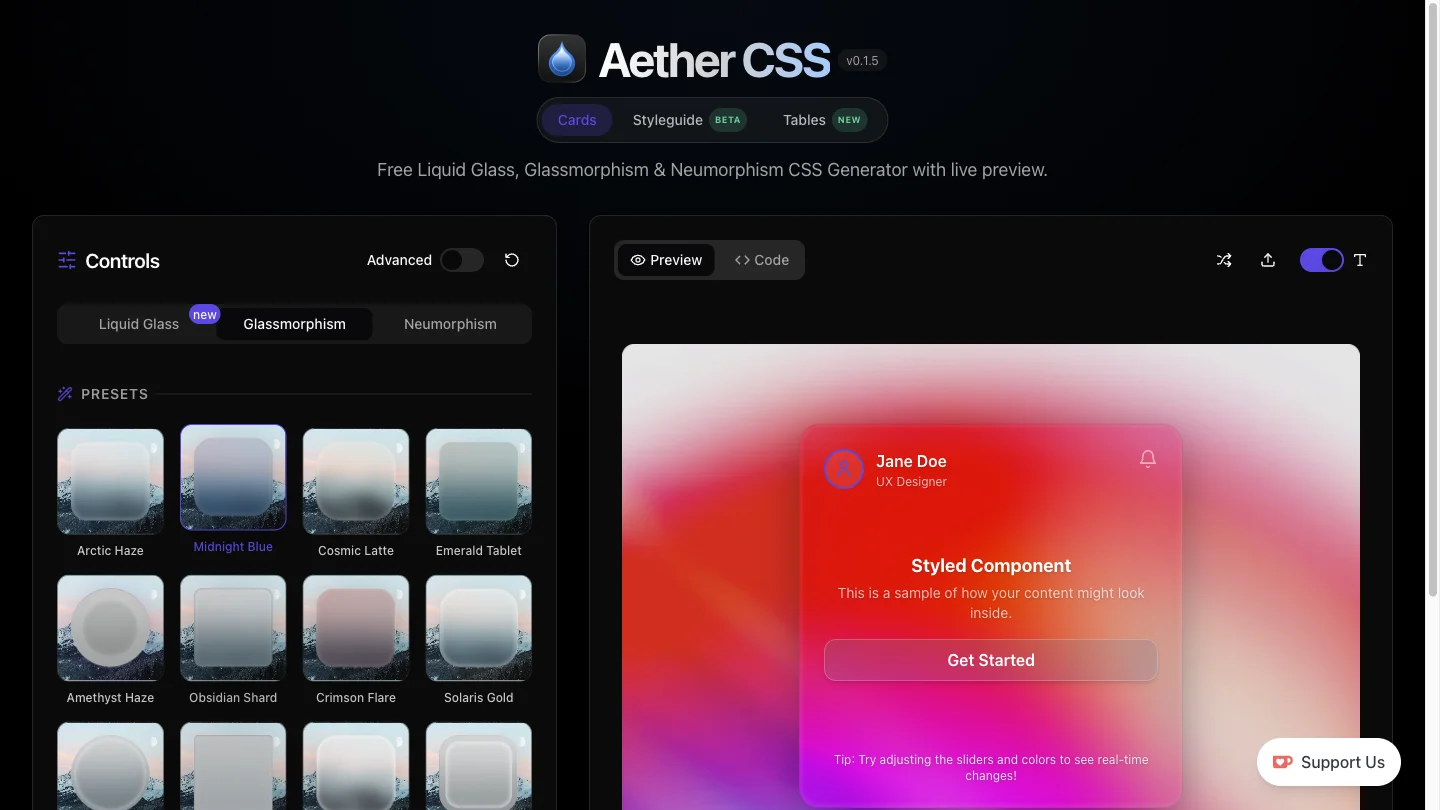
Aether CSS offers visual card styles with a live preview and a code panel. Start by choosing a style family or preset, then switch between the rendered component and its HTML/CSS implementation. In the check, the Glassmorphism tab exposed presets, the Code tab displayed a card implementation, and selecting Midnight Blue changed the preview. The site describes the generator as free. Its separate Liquid Glass mode carries an experimental compatibility warning for desktop Chromium browsers; that warning should not be read as a restriction on every style. The check did not validate clipboard copying, deployment in another project, or Firefox and Safari behavior.
Why we list it
A directly usable preview-to-code workflow for exploring a specific visual treatment.
Who it’s for
Frontend builders exploring a glass-style card before adapting the generated code to their own project.
Availability & access
- Account
- No account required
- Download
- No download required
- Browser use
- Works in a browser
The tested preview and code flow needed no account or installation. The Liquid Glass compatibility warning names Firefox and Safari as unsupported for that effect; broader mobile support was not verified.
What we found
Switched to Glassmorphism, opened Code and saw the HTML/CSS implementation, then selected Midnight Blue and viewed the card preview. Desktop Chromium only. Clipboard contents and production integration were not tested.
How to use Aether CSS
- 1Choose a style family, such as Glassmorphism.
- 2Select a preset and inspect the Preview tab.
- 3Open Code to inspect the implementation; test it in your own project before relying on it.
Key features
- Switch between Liquid Glass, Glassmorphism and Neumorphism style tabs
- Choose a preset and inspect a rendered card
- Open a code panel with HTML and CSS
Pros & cons
Pros
- +A preset preview and its code are available in the same browser interface.
Cons
- −Liquid Glass is labeled experimental and desktop Chromium only.
FAQ
What is Aether CSS used for?
It provides visual card-style presets, a live preview and HTML/CSS code for effects including glassmorphism.
Is Aether CSS free?
The public heading describes it as a free CSS generator. Previewing a preset and opening its code did not request payment or login in the check.
Similar apps
Separate products in the same categories, selected by SoFast.

Create website icons from text or an existing image, preview them and download ICO, PNG and manifest assets with installation guidance.
Also in Builder Dev Tools
A developer landing page for Claude Flow, presenting multi-agent AI orchestration, MCP tools, self-learning coordination, and Claude Code workflows.
Also in Builder Dev Tools
Sources
- aethercss.lovable.app · Observed 2026-11-14
SoFast is an independent directory. Product information is based on publicly available information and may change. Each product is operated by its respective owner. Visit the original website for the latest details.